
Branching simulation
Advisor Journey
A hub-based simulation that walks new loan advisors through a full client file, one decision at a time.
Concept project — self-directed, built to a fictional client brief
- Articulate Storyline 360
- Figma
- Screens
- 55
- Stages
- 4
- Decision points
- 10
- Feedback branches
- 30
The brief
Loan advising is judgement work. A new advisor can recite the product matrix and still mishandle the first five minutes of a consultation. Reading about the process doesn't build that judgement — the learner has to make the call, be wrong, and find out why while it's still safe to be wrong.
Learning objectives
- Open a consultation by drawing out what the client actually needs, rather than leading with a product.
- Assess a client's financial situation and match a loan to their risk tolerance and financial health.
- Sequence the loan application process correctly and explain why each step gates the next.
- Complete post-approval file review and close the process cleanly.
Design decisions
A hub, not a corridor
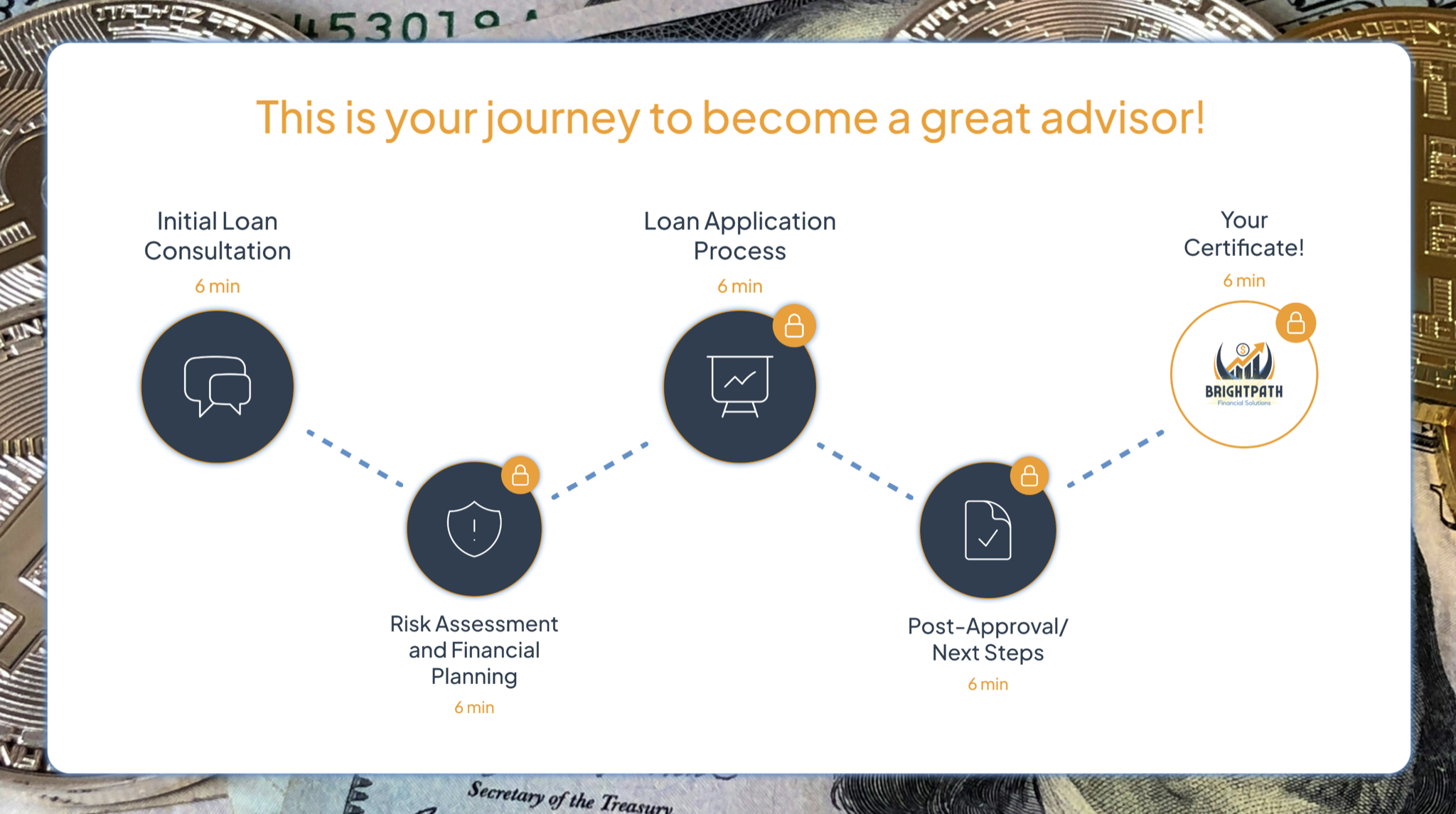
Five menu screens sit between the four stages, so the learner returns to a hub after each one instead of being pushed down a single track. Progress is held in variables and the last stage stays locked until the earlier work is done — the structure is open enough to feel like the learner's own file, controlled enough that nobody reaches post-approval without having assessed risk.
Three branches per decision, not two
Every decision point resolves into three separate slides rather than a right/wrong pair. That third branch is what makes the feedback useful: it covers the plausible-but-incomplete answer, the one a real new advisor would actually pick, and explains what it costs the client.
Consultation as dialogue
The Initial Loan Consultation stage opens with the client speaking — "The customer comes in looking for a home loan and says…" — so the learner reads a person, not a case study. Each of the five turns in that conversation is a decision.
Drag-and-drop for process, feedback per step
The application stage is a sequencing task rather than a quiz. Feedback fires as each step lands, explaining why that step sits where it does — so the learner builds the flowchart and the rationale at the same time, instead of being scored at the end.
Walkthrough
Initial Loan Consultation
Five decision points inside a live client conversation, each branching three ways. The client opens; the learner chooses how to respond.
Risk Assessment and Financial Planning
"Assess the customer's financial situation, offering the right loan based on risk tolerance and financial health." Another five branching decisions, now on numbers rather than rapport.
Loan Application Processing
A drag-and-drop flowchart of the application steps. Feedback appears as each step is placed, explaining its role in approval or rejection.
Post Approval
A simplified client file to review and finalise, then a completion certificate.
Build notes
- Custom hub-and-spoke navigation across five menu screens, with stage progress held in variables and the final stage gated until the earlier work is complete.
- Every decision resolves to a dedicated feedback slide — 30 in total — rather than layered pop-ups.
- Drag-and-drop sequencing interaction with per-drop conditional feedback.
- Interface, buttons and type designed as components in Figma and imported as assets.
Assessment
No score, by design. The decision points are the assessment: each branch is the consequence of a choice, and the certificate at the end marks completion of every stage rather than a percentage. The drag-and-drop flowchart is the one place a learner can be plainly wrong, and it corrects them step by step.